Loading...
Searching...
No Matches
Enablegames.StringListWidget Class Reference
Represents a widget for displaying a list of strings. More...
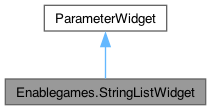
Inheritance diagram for Enablegames.StringListWidget:
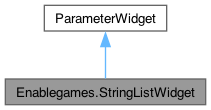
Collaboration diagram for Enablegames.StringListWidget:
Public Member Functions | |
| void | showOnlySelected (string selection) |
| Hard coded method to show only SUKI files in certain folder. | |
| override void | UpdateParameter (object o) |
| Updates the parameter value based on the input object. | |
| IEnumerator | SetIconFromStreaming (Transform parentTransform, string spriteFile, Action onSuccess) |
| Loads a texture from the streaming assets folder and sets it as an icon on the specified parent transform. | |
Detailed Description
Represents a widget for displaying a list of strings.
Member Function Documentation
◆ SetIconFromStreaming()
|
inline |
Loads a texture from the streaming assets folder and sets it as an icon on the specified parent transform.
- Parameters
-
parentTransform The parent transform to set the icon on. spriteFile The file name of the icon sprite. onSuccess The callback function to be executed on successful loading and setting of the icon.
- Returns
- An IEnumerator.
◆ showOnlySelected()
|
inline |
Hard coded method to show only SUKI files in certain folder.
- Parameters
-
selection select the folder to show
◆ UpdateParameter()
|
inlinevirtual |
Updates the parameter value based on the input object.
- Parameters
-
o The input object.
- Exceptions
-
ApplicationException Thrown when there is a mismatch between the widget and parameter type.
Reimplemented from Enablegames.ParameterWidget.
Here is the call graph for this function:

The documentation for this class was generated from the following file:
- /Users/yiyangshang/egdl2/Assets/eag/Scripts/enablegames/Parameters/ParamCreator/UIWidgets/StringListWidget.cs
